Get straight to the photographs.
Choose a photo folder and begin browsing while technical assessment runs in the background. Or import selected images from Apple Photos as local copies.
 SelectFrame
PHOTO CULLING, ON YOUR TERMS
You caught the moment.
Now find the frames that tell the story.
SelectFrame is a native photo culling app for event photographers. Review your shoot, mark your keepers, and move on to the edit. Built for Mac. Built around your judgment.
Meet SelectFrameComing soon for Apple silicon Macs · macOS 14+

FROM A FULL SHOOT TO YOUR SELECTS
A large preview. A filmstrip close at hand. Clear Keeper, Reject, and Unmarked decisions. Everything focused on the photograph in front of you.
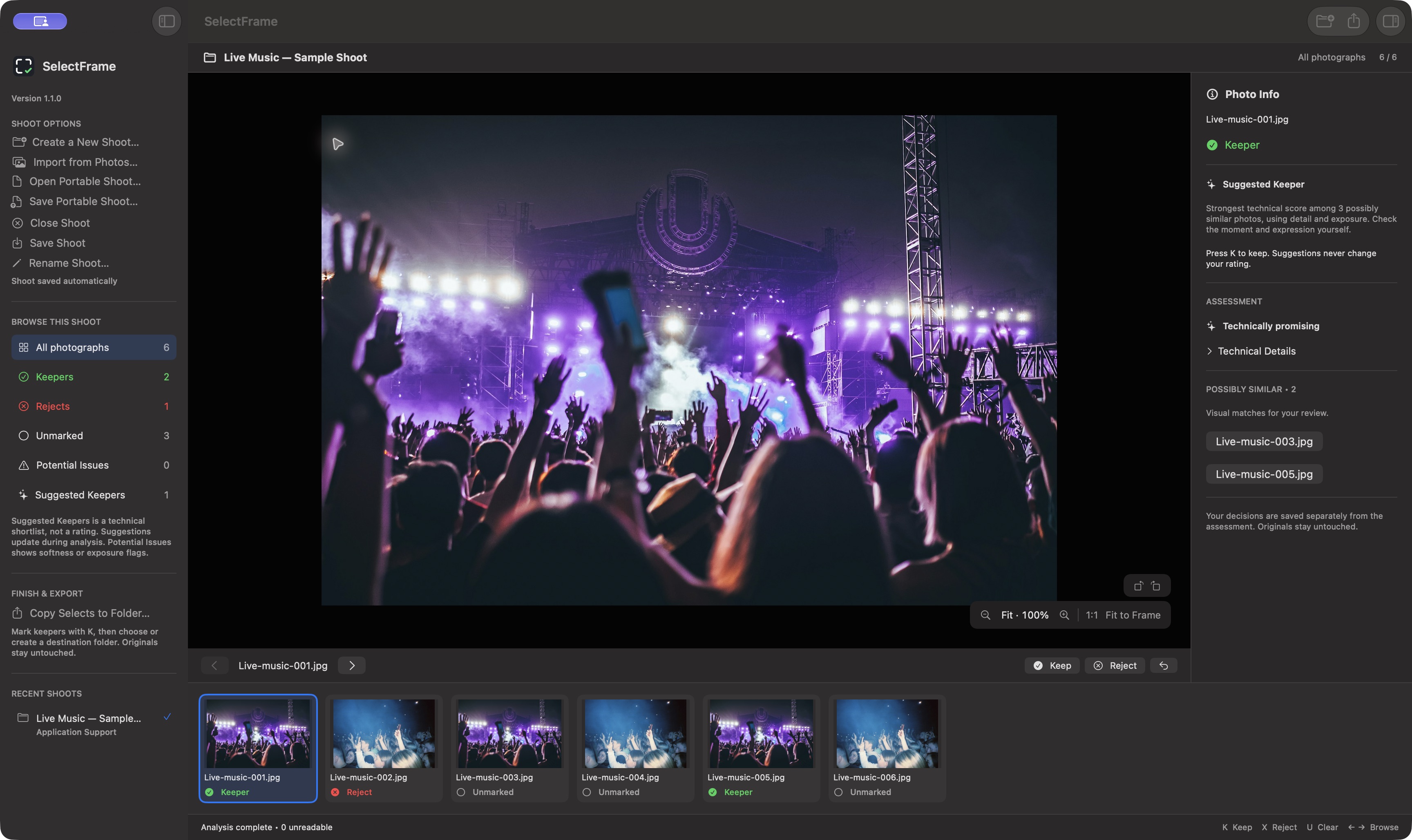
Choose a photo folder and begin browsing while technical assessment runs in the background. Or import selected images from Apple Photos as local copies.
Zoom into the details, move through the filmstrip, and mark your decisions. Optional sharpness and exposure guidance supports your review; your manual choices stay yours.
Copy keepers to a new folder, with optional sequential filenames based on your shoot name. Your source photographs stay untouched.
A PHOTOGRAPHER’S WORKFLOW
The gesture. The glance. The split second that makes the story. SelectFrame gives you technical information without taking the final decision away from you.
Explore the workflow ↗FEWER OBSTACLES. MORE PHOTOGRAPHS.
THE NEXT CHAPTER OF YOUR SHOOT
For Apple silicon Macs running macOS 14 or later.
iPhone and iPad versions are in development.